Selected work / Custom Website + Integration
Cafe Sprout
A restaurant website connected to the systems behind the business.
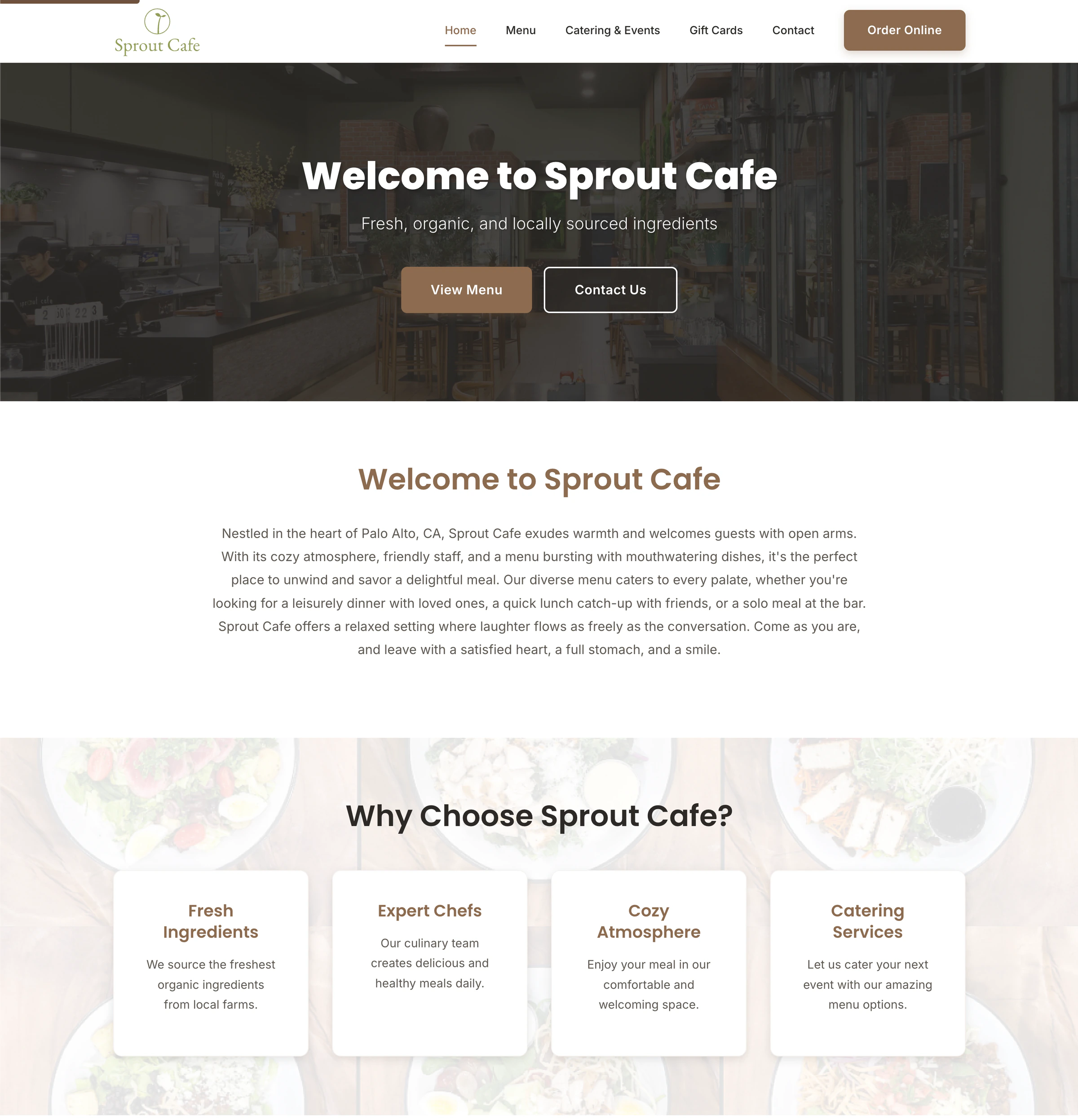
Cafe Sprout needed a custom website that represented the restaurant clearly while working with the systems already used to run the business.
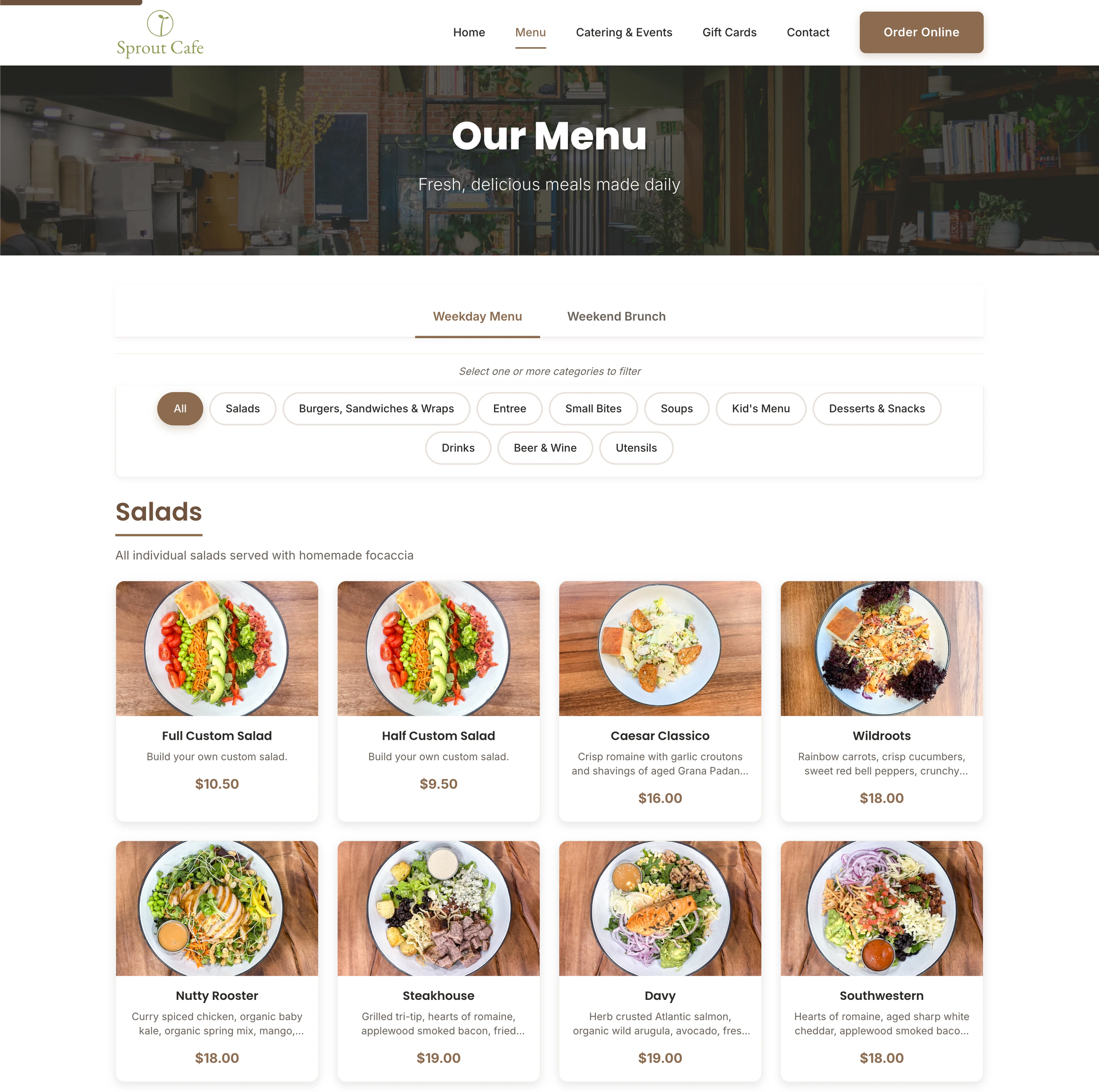
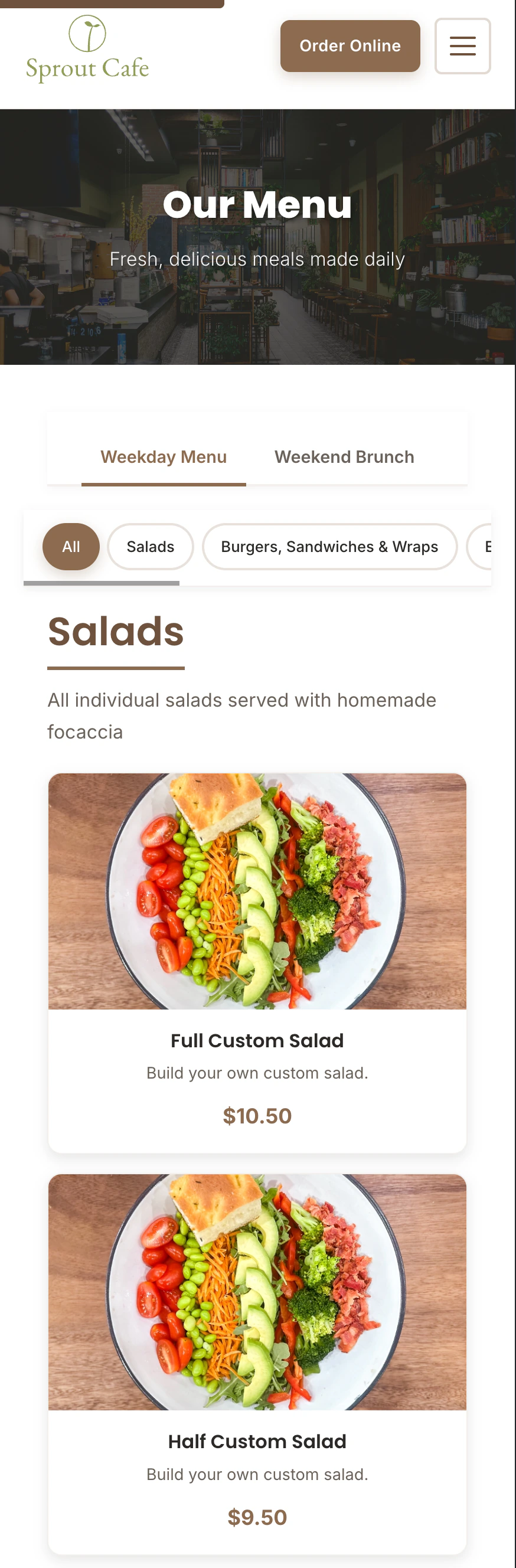
We built the public website and integrated its menu with Toast, allowing restaurant information to remain connected to the platform already managing it.
01 / The requirement
A restaurant website has a simple job.
Visitors generally arrive looking for practical information and a clear next action. The website should help them understand the restaurant, find location details, view the menu, and use the site comfortably from a phone.
Restaurant
Understand what Cafe Sprout is and why someone would visit.
Location
Find location and contact information.
Menu
View the menu as part of the website.
Mobile
Use the website comfortably from a phone.
Make the important things easy to find.
02 / Content
Organize the site around what customers need.
Restaurant websites can easily become cluttered with imagery, promotions, information, and third-party services competing for attention.
The public website needs a clear hierarchy instead: present the restaurant first, keep information understandable, and give the menu a clear place in that structure.
01
Restaurant
02
Information
03
Menu
Abstract hierarchy, not a complete sitemap.
03 / Integration
Not everything belongs in the website.
The restaurant already manages menu information through Toast. Recreating and separately maintaining the same menu content inside the custom website would create another source of information to keep synchronized.
Instead, the website uses Toast's menu API so the public menu can be built into the custom website while its underlying menu information remains connected to Toast.
Custom doesn't mean rebuilding systems that already work.
01
Toast
Menu data
02
Menu API
03
Cafe Sprout website
Public menu experience
Conceptual view of the Toast menu API connection, not an infrastructure diagram.
04 / Experience
The integration should stay out of the customer's way.
The technical boundary matters to us, but it shouldn't matter to the customer.
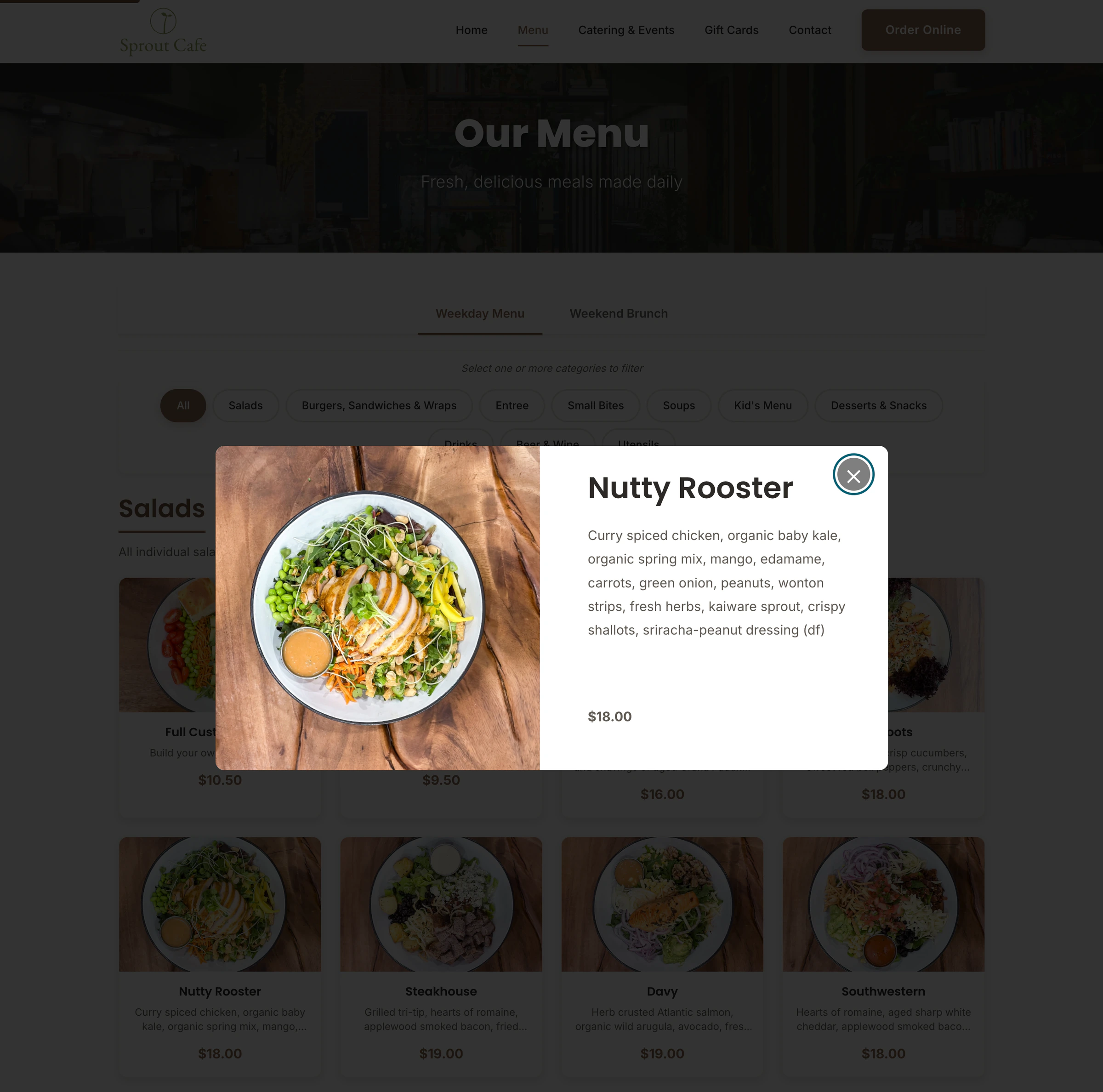
The menu should feel like part of the website even though its information comes from the restaurant's existing Toast system. The interface needs to stay clear, responsive, and consistent with the rest of the site.
The customer sees a menu. The systems behind it are our problem.
05 / Mobile
Restaurant websites have to work from a phone.
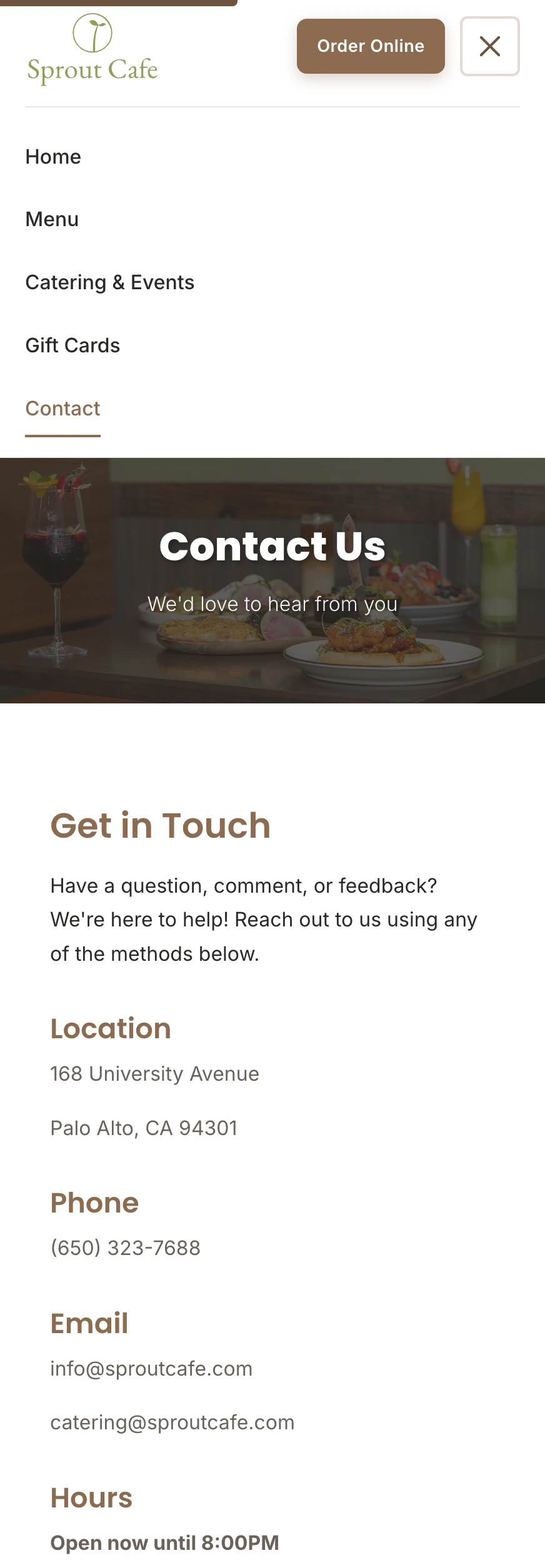
People may encounter the restaurant website while checking the menu, looking for restaurant information, finding the location, or using the site away from a desktop.
The website therefore needs to remain clear and usable at small screen sizes—not simply shrink a desktop layout onto a narrower viewport.
06 / Web quality
The website still has to be good web development.
A menu API integration does not replace the need for a solid public website. Semantic structure, performance, accessibility, responsive behavior, and maintainability still matter.
The integration only works well when the website around it is clear, usable, and built to last.
An integration doesn't excuse a poor website around it.
07 / System boundary
Build what should be custom. Integrate what shouldn't.
Cafe Sprout didn't need another independently managed menu. The website needed to use the restaurant's existing source of menu information.
Custom website
- Public content
- Brand presentation
- Navigation
- Page structure
- Responsive experience
- Menu presentation
Toast Menu API
- Menu data
Good custom development includes knowing where custom development should stop.
08 / The takeaway
The website doesn't have to do everything.
Cafe Sprout is a straightforward example of where integration makes more sense than duplication.
The public website is custom-built around the restaurant, while menu information comes from the system already used to manage it. That keeps responsibilities clear: build the web experience specifically for the business, and use the existing platform where it already owns the data.
Use custom development where it adds value. Integrate where it makes sense.
Related work
More project records.
Have a website that needs to connect to something else?
Build the website. Connect the right systems.
If your website needs to work with the systems your business already uses, we'll determine what should be built, what should be integrated, and where the boundary should sit.